


日本 eSIM – IIJmio

選擇你的計畫
最受歡迎Plans and prices
| Plan | Validity | Price | Per GB |
|---|---|---|---|
| 5GB | 3 天 | $7.00 | $1.40 |
| 5GB | 7 天 | $8.00 | $1.60 |
| 10GB | 7 天 | $11.00 | $1.10 |
| 20GB | 7 天 | $18.00 | $0.90 |
| 30GB | 7 天 | $27.00 | $0.90 |
| 10GB | 15 天 | $13.00 | $1.30 |
| 20GB | 15 天 | $20.00 | $1.00 |
| 30GB | 15 天 | $28.00 | $0.93 |
| 50GB | 15 天 | $41.00 | $0.82 |
| 20GB | 30 天 | $24.00 | $1.20 |
| 30GB | 30 天 | $31.00 | $1.03 |
| 50GB | 30 天 | $47.00 | $0.94 |
計畫概覽
-
數據: 5GB ~ 50GB 高速流量; 無限256Kbps數據
-
速度: 4G LTE
-
通話及短訊: 不提供通話及短訊,僅限行動數據 eSIM
-
電話號碼: 不提供
-
涵蓋範圍: 日本
-
相容性: 解鎖的 eSIM 相容裝置
-
熱點/網路分享: 是
-
網路: IIJmio 行動網路
-
儲值: 不可
-
身分證件要求: 無
-
出貨方式: 透過電子郵件寄送 - 購買後會寄送 QR Code。大多數訂單會在幾分鐘內透過電子郵件寄出。如訂單需要人工安全審核,將於澳洲東部時間上午 9 點起寄出。
-
安裝時間: 在您計畫的旅行日期之前的任何時間
-
有效期: QR Code必須在購買後60 天內安裝並使用。
-
啟用: 服務於首次連線網路時開始。
其他包含內容
- 數字eSIM配置檔(QR Code)
- 來自澳洲及往澳洲的通話不包括在內。我們建議您使用 WhatsApp等應用程式
-
自啟用日起提供7/15/30 天服務選項
📌 請注意:
QR Code若未在購買後60 天內安裝並使用,將會過期,並且無法重新發放。
來自澳洲及往澳洲的通話不包括在內。我們建議使用 WhatsApp等應用程式進行通話和發送資訊。
主要特點
Plans and prices
| Plan | Validity | Price | Per GB |
|---|---|---|---|
| 5GB | 3 天 | $7.00 | $1.40 |
| 5GB | 7 天 | $8.00 | $1.60 |
| 10GB | 7 天 | $11.00 | $1.10 |
| 20GB | 7 天 | $18.00 | $0.90 |
| 30GB | 7 天 | $27.00 | $0.90 |
| 10GB | 15 天 | $13.00 | $1.30 |
| 20GB | 15 天 | $20.00 | $1.00 |
| 30GB | 15 天 | $28.00 | $0.93 |
| 50GB | 15 天 | $41.00 | $0.82 |
| 20GB | 30 天 | $24.00 | $1.20 |
| 30GB | 30 天 | $31.00 | $1.03 |
| 50GB | 30 天 | $47.00 | $0.94 |
計畫概覽
-
數據: 5GB ~ 50GB 高速流量; 無限256Kbps數據
-
速度: 4G LTE
-
通話及短訊: 不提供通話及短訊,僅限行動數據 eSIM
-
電話號碼: 不提供
-
涵蓋範圍: 日本
-
相容性: 解鎖的 eSIM 相容裝置
-
熱點/網路分享: 是
-
網路: IIJmio 行動網路
-
儲值: 不可
-
身分證件要求: 無
-
出貨方式: 透過電子郵件寄送 - 購買後會寄送 QR Code。大多數訂單會在幾分鐘內透過電子郵件寄出。如訂單需要人工安全審核,將於澳洲東部時間上午 9 點起寄出。
-
安裝時間: 在您計畫的旅行日期之前的任何時間
-
有效期: QR Code必須在購買後60 天內安裝並使用。
-
啟用: 服務於首次連線網路時開始。
其他包含內容
- 數字eSIM配置檔(QR Code)
- 來自澳洲及往澳洲的通話不包括在內。我們建議您使用 WhatsApp等應用程式
-
自啟用日起提供7/15/30 天服務選項
📌 請注意:
QR Code若未在購買後60 天內安裝並使用,將會過期,並且無法重新發放。
來自澳洲及往澳洲的通話不包括在內。我們建議使用 WhatsApp等應用程式進行通話和發送資訊。
主要特點
幾分鐘內即可連線
1. 購買你的計畫
選擇最適合你行程的流量方案。
2. 掃描 QR Code
檢查你的收件箱!啟用的 QR Code 會立即透過電子郵件寄送。
3. 保持連線
開啟你的 eSIM,立即享受高速連線。
檢查裝置相容性
大多數2019年以後的智慧型手機都支援 eSIM。 在購買前請確認。
為什麼選擇 Global Starlink 日本
-
check_circle
全國網路涵蓋範圍 — 在城市、機場及熱門旅遊景點均可保持穩定連線。
-
check_circle
高速 5G/4G — 使用高速本地流量盡享網頁瀏覽、影音串流及視訊通話。
-
check_circle
60 秒完成啟用 — 掃描 QR Code即可立即連線,無需實體 SIM 卡。
-
check_circle
最高節省 90% — 避免昂貴的漫遊費用,相較本地電信商大幅節省費用。
-
check_circle
保留原有號碼 — 使用本地流量的同時,仍可在您的常用號碼上接聽來電。
-
check_circle
7×24 小時專業支援 — 我們的團隊每日16 小時待命,為您提供連線協助。
常見問題
我們的 eSIM 僅提供行動上網服務,不包含電話號碼。如需撥打電話或傳送簡訊,建議使用 WhatsApp、Facebook Messenger、Skype 或 Google Voice 等網路通話 App。
每張 eSIM 覆蓋特定的國家或地區。您可以在商品頁面「加入購物車」按鈕下方點選「查看適用國家清單」連結,查看完整的涵蓋範圍。
您的 eSIM 將在日本連線 IIJmio 行動網路,在覆蓋區域可使用 5G,其他地區使用 4G LTE。
每個方案均有固定的使用天數,具體請參見商品頁面。eSIM 方案不支援續期或流量儲值,但您可以隨時購買新方案。
撥打 *#06#,若顯示一串 32 位的 EID 編號,則表示您的裝置支援 eSIM。
(注意:MEID 與 EID 並不相同。)
在海上,訊號通常僅透過衛星網路傳輸,而我們的 eSIM 不支援衛星網路。靠近港口時,您的 eSIM 將重新連線至當地網路。
本 eSIM 主要針對智慧型手機設計。雖然部分平板電腦支援 eSIM,但我們無法保證其在所有非手機裝置上均可正常使用。
我們的客服團隊每天均可透過線上聊天及電子郵件 hello@globalstarlink.com.au 為您提供支援,歡迎隨時聯絡我們。
這取決於您的行程。旅行 eSIM 在出發前就能設定好,抵達後即可上網——無需在機場櫃台排隊;在需要實名登記的地方,也無需登記身分證件或護照;更換卡片時也不會有弄丟原有 SIM 卡的風險。不過,如果停留時間較長,當地預付 SIM 卡可能更便宜,而且會提供當地電話號碼。
本方案起價 7.90 澳幣(AUD),涵蓋日本。
建議在出發前購買。購買後,QR Code會立即透過電子郵件寄送給您,您可以在家連著 Wi-Fi 安裝好 eSIM,抵達後即可上網。抵達後再安裝則需要網路連線,而那時您可能還沒有網路——這正是 eSIM 要解決的問題。
提前安裝不會開始計算方案有效期:有效期從 eSIM 首次在目的地連線網路時開始計算。
就流量而言,通常是的。澳洲電信業者的漫遊一般按您在外的每一天收費,行程越長,費用越高。本方案是一次性付費,起價 7.90 澳幣(AUD),涵蓋在日本的整個方案期間。
您可能也喜歡
探索更多目的地 Asia







裝置相容性
Connected straight away as soon as arrived. Internet speed is very good +150Mbps.
Had some issues from the beginning as couldn’t do wifi hotspot. Contacted technical support and the issued was fixed.
Used them previously in Thailand trip and South Korea trip. No one beats their price.
Highly recommend them👍🏼
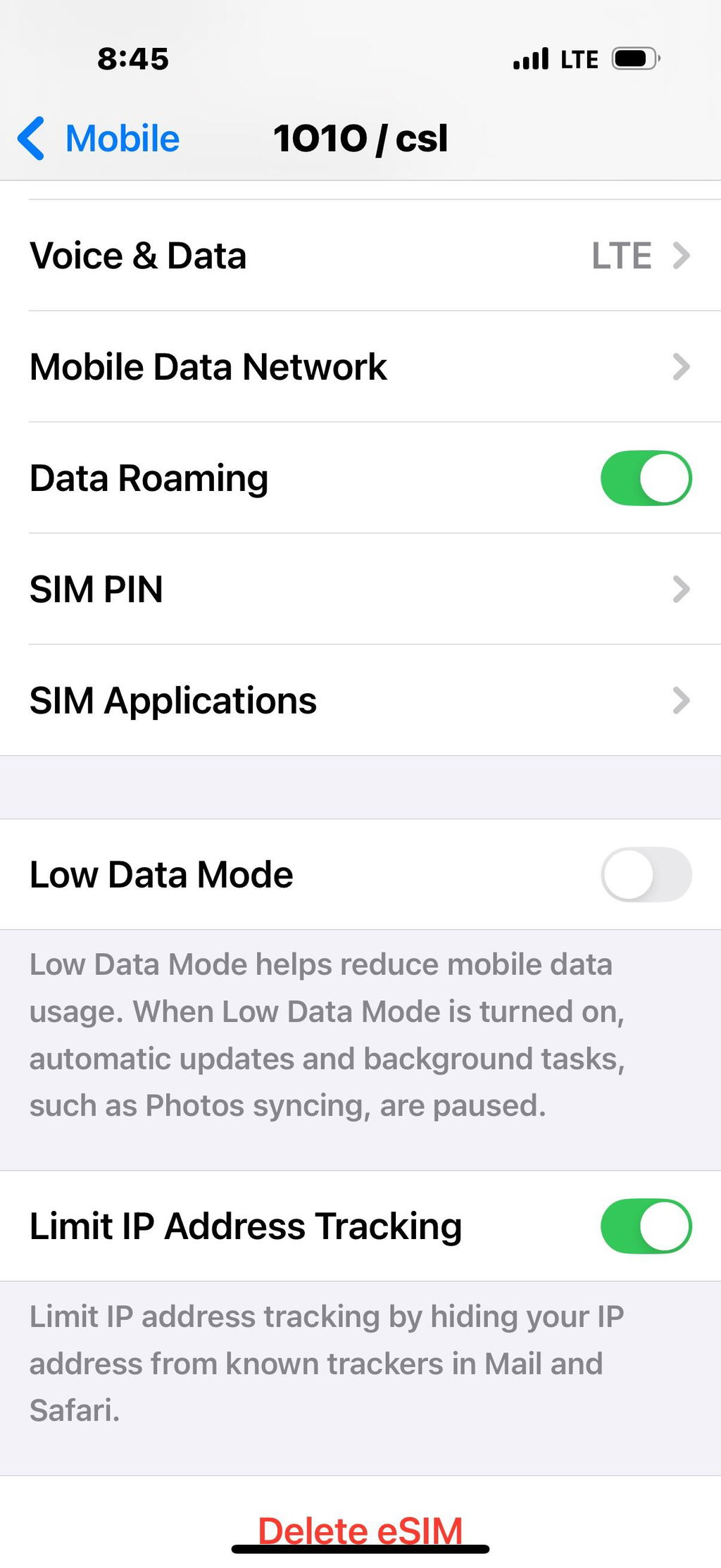
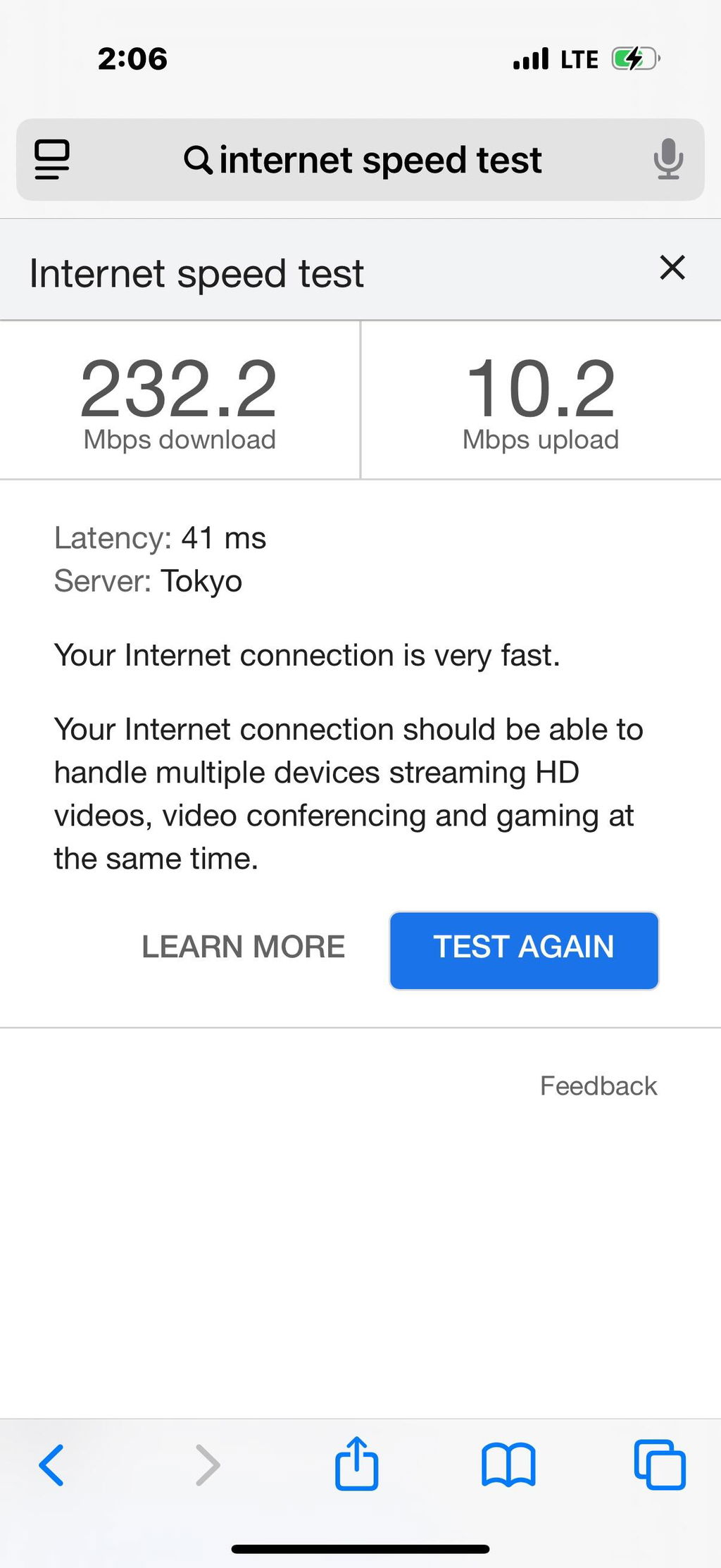
This was my first time using an eSIM and I had a small panic when it wouldn't activate in Australia. I contacted support and they explained it only activates once you're inside Japan. They replied really quickly and everything worked exactly as they said after landing. Really appreciate the helpful customer service.
I was originally going to rent a pocket WiFi but decided to try this eSIM instead. Honestly I'm glad I did. No extra device to carry or recharge and I still had internet everywhere I needed it. Perfect if you're travelling solo or as a couple. Much simpler than dealing with another gadget.
Overall I was really happy with this eSIM and would happily buy it again. Installation was simple and coverage stayed reliable across Tokyo, Kyoto and Nara. The only reason I'm giving four stars is because speeds dipped a little during one evening around Shibuya Crossing when it was absolutely packed, but it was still perfectly usable for maps and messaging.
I received the QR code very quickly after ordering and setup only took a few minutes. Once I arrived in Japan the eSIM connected automatically without needing to change anything. Used it for Google Translate, restaurant bookings and uploading heaps of photos every day. The connection stayed fast even around busy stations.
Used this every day for Suica top-ups, Google Maps, translation apps and finding little cafés around Kyoto. The connection stayed reliable throughout the trip and battery usage seemed pretty reasonable too. It was one less thing to worry about while travelling.
Visited during cherry blossom season when everywhere was incredibly busy. Even with the crowds I could still upload photos, check transport times and book attractions without much delay. Used the connection every day from early morning until late at night and it never let me down.
Travelled on the Shinkansen between Tokyo, Nagoya and Hiroshima and the data stayed surprisingly reliable for most of the journey. Maps, messaging and music streaming all worked really well. Having internet available while changing trains made travelling around Japan much less stressful.
If you're planning to spend most of your time sightseeing instead of sitting in hotels, this eSIM is definitely worth it. We used it for booking tickets, checking train schedules, finding restaurants and even video calling family back home. Installation was easy and the speeds were consistently good across Tokyo and Osaka.
I installed the eSIM before leaving Australia and as soon as I landed at Narita Airport it connected within about a minute. Spent two weeks travelling through Tokyo, Kyoto and Osaka using Google Maps almost constantly. Directions updated quickly even while changing trains and I never felt the need to look for public WiFi. Really easy product to use.
Google Maps worked instantly and directions loaded fast. Very helpful in busy areas.
Setup took only a few minutes and instructions were easy to follow. No issues at all.
Speed was really good even in crowded areas. Maps and translations worked instantly.
Instructions were easy to follow and setup didn’t take long. Worked straight away.
Tried activating too early and thought it didn’t work. Once landed in Japan it connected fine.
Used in Tokyo, Kyoto and Hiroshima. Coverage stayed reliable everywhere I went.
Work fine overall but instructions could be a bit more clear for beginners. After setup, no issue.
No need to find airport SIM or WiFi. Just turn on eSIM and go. Very convenient after long flight.
Used daily for maps, booking tickets and messaging. Connection stable whole trip. Battery drain also not too bad.
Email instructions were clear and setup took just few minutes. Didn’t need to contact support at all. Everything just worked.
Speed was really good in crowded places like Shibuya and Osaka station. No lag when using translation apps or uploading photos.
Used it everywhere from Tokyo to Osaka on bullet train. Signal stayed strong most of the time. Even while moving fast, Google Maps still worked fine which was very helpful.
First time in Japan and first time using eSIM, was a bit unsure but actually very simple. Just scan QR, follow steps, done. If it doesn’t connect straight away, just wait until you arrive in Japan like they say.
Got the QR email within minutes after purchase, which was really quick. Installed before flight and it activated straight away once I landed in Tokyo. Data speed was very fast, even in busy Shibuya area. Used maps and train apps all day no issues.
I’m a bit of a tech dinosaur and accidentally deleted my activation email while waiting for my flight. I messaged Global Starlink on email and they re-sent the QR code through in under ten minutes. Once I landed in Tokyo, the eSIM worked flawlessly. That kind of customer service is rare these days!
Scanned the QR code at Sydney airport and it activated the second we touched down. Used it for Google Maps and Translate constantly with zero lag
Had a bit of a blue trying to activate it at Narita, but the support team on email sorted me out in minutes
Don't bother with the overpriced pocket WiFi rentals at the airport. This eSIM is cheaper and way more convenient. It connected to the local network immediately and the speeds were fast enough
Setup was a breeze on my Pixel—just scanned the code and I was sorted. Only giving 4 stars because I had to manually toggle 'Data Roaming' on to get it working, which I didn't realise at first.
Used this for a solo trip through Hakone and the Japanese Alps. I was worried about losing signal in the mountains, but it stayed strong the whole time
Needed reliable data for Zoom calls while travelling through Kyoto. The 5G speeds were top-notch.
Signal was 5/5 even on the fast trains. I accidentally deleted my activation email, but customer service sent a fresh one within the hour.